

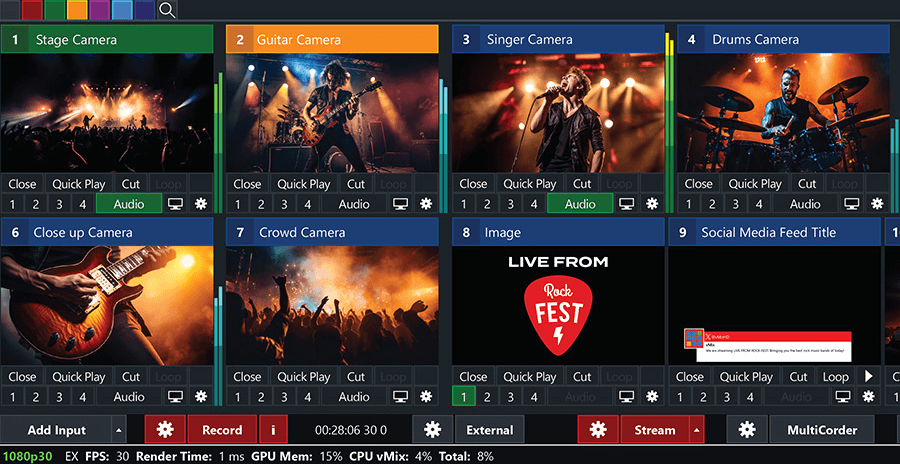
All your inputs in one place
Video Cameras:
4K, HD and SD capable. Support for Webcams and capture cards. See Supported Hardware.NDI®:
Send and receive high quality, low latency video and audio on the local network between vMix systems and any NDI compatible sources. See NDI.Video Files:
Support for all popular formats including AVI, MP4, H264, MPEG-2, WMV, MOV and MXF.DVDs:
With menu navigation.Audio Files:
MP3 and WAV.Audio Devices:
Mix multiple audio sources such as SoundCards, ASIO Audio Interfaces and capture card audio.Video and Audio PlayLists:
Combine multiple video and/or audio files into a single InputInstant Replay
Slow motion instant replay for up to 8 cameras.Video Calls:
Live remote video calls for up to 8 guestsZoom Integration:
Direct Zoom Meeting integrated into your production for multiple Zoom guests.- Web Browser, RTSP, PowerPoint, Photos, Solid Colour and more.
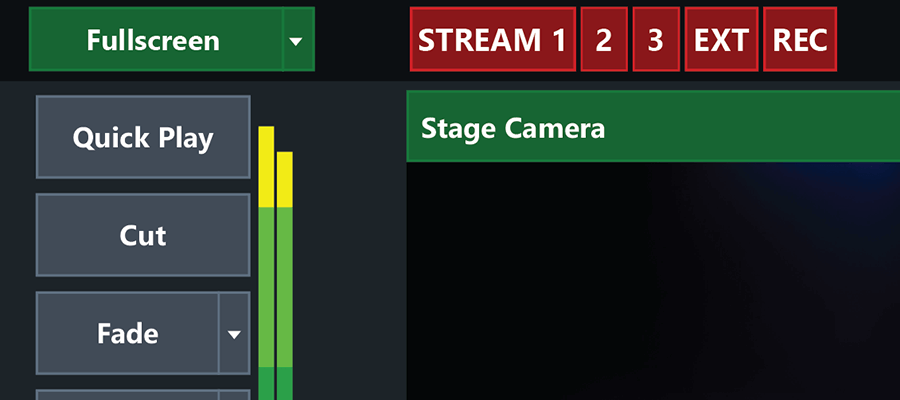
Simultaneous Streaming, Recording, and Output
- Live stream to your favourite streaming providers including Facebook Live, YouTube, Twitch and much more.
- Live Record in full HD to AVI, MP4, MPEG-2 or WMV
- Output via AJA, Blackmagic and Bluefish cards to professional recording decks and monitors
- Virtual Camera support for streaming out to 3rd party software such as Skype, Zoom, Teams and VLC.
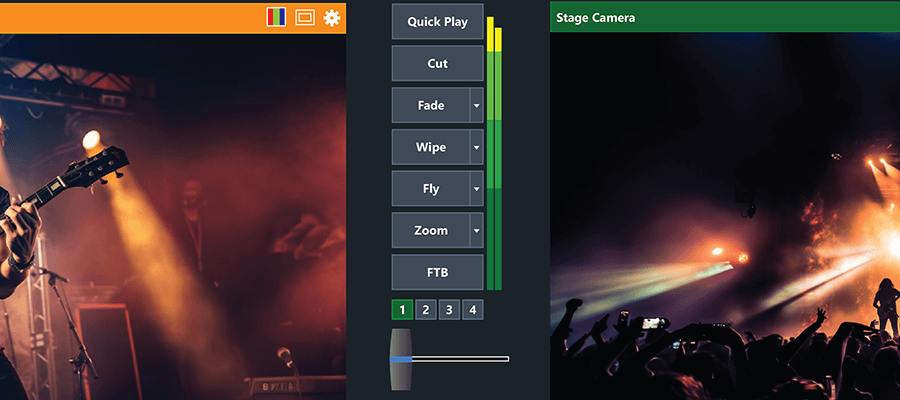
13 Transition Effects
- Cut, Fade, Zoom, Wipe, Slide, Fly, CrossZoom, FlyRotate, Cube, CubeZoom, Vertical Wipe, Vertical Slide and Merge transitions available with 4 customisable transition buttons for easy access to your favourite effects.
- Create up to 4 custom stinger transitions which can be used with GT Titles, Image Sequences or Videos with alpha.
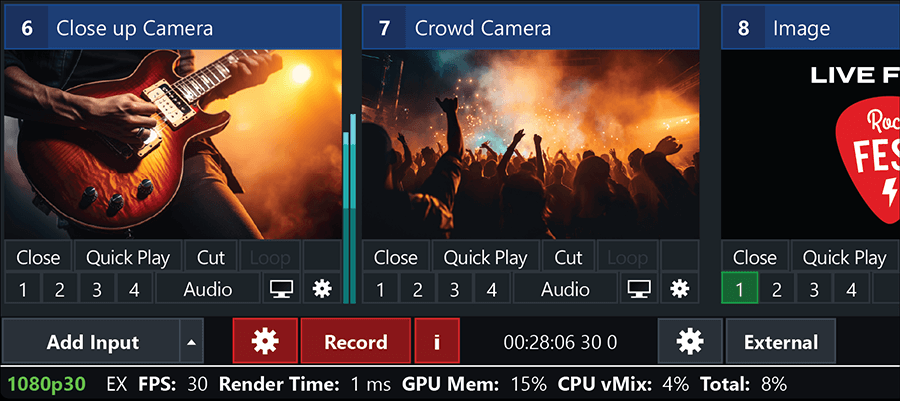
Professional HD production on a modest PC
- vMix is the most efficient live production software on the market thanks to full 3D acceleration.
- Create productions with multiple HD sources without breaking the bank or your CPU.
- Optimised to take advantage of the powerful hardware encoding resources on NVIDIA cards to give you more performance out of MP4 recordings, streaming, SRT and more.
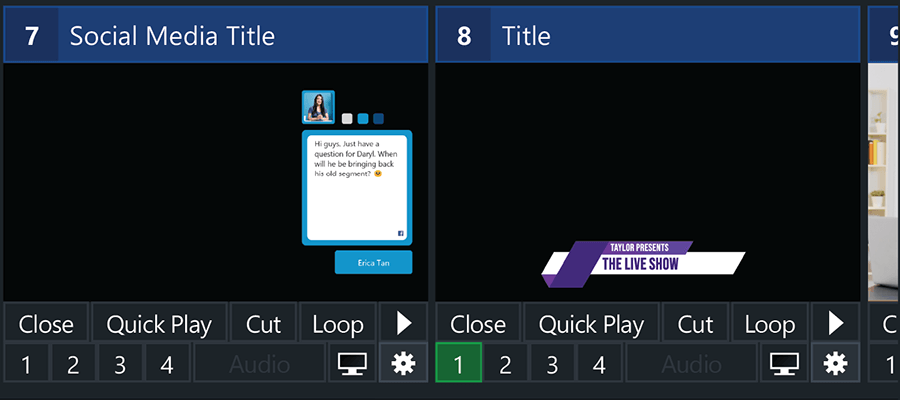
Easy to use, high-performance, animated graphics
- Choose from 100+ built-in animated titles, scoreboards and tickers.
- GT Designer Standard Create custom static titles and animated tickers (all editions)
- GT Designer Advanced Create custom animated titles and import layers from Adobe Photoshop PSD (vMix 4K, Pro and Max)
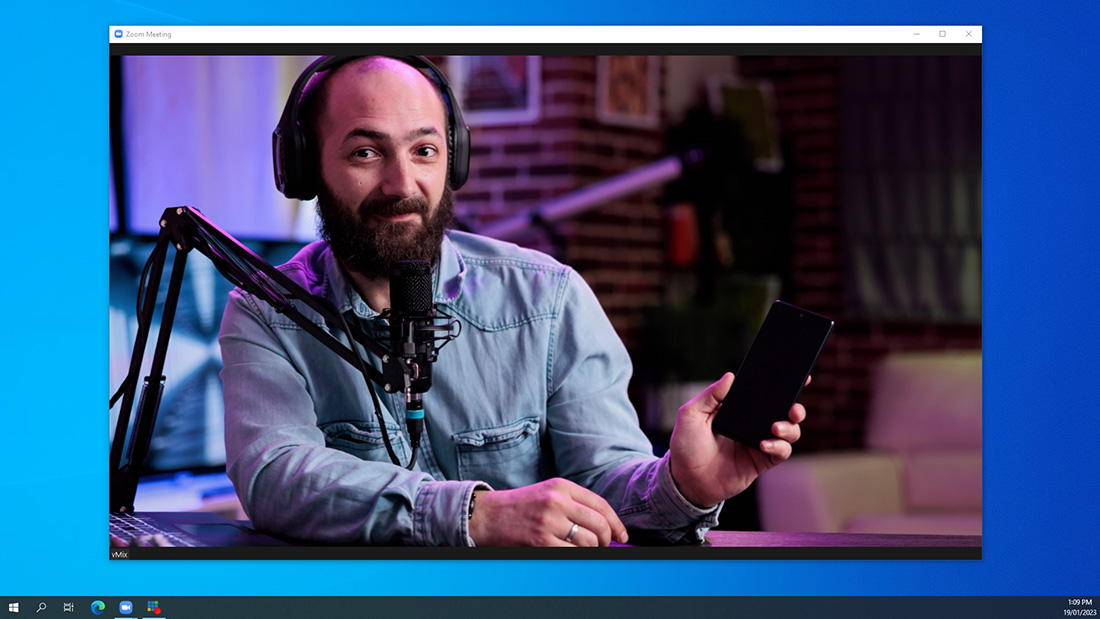
Desktop Capture from Windows PC sources
- Utilise screen capture from remote desktops running on your network. Great for capturing other programs such as Powerpoint, Skype, Zoom and more.
- Also locally capture your own displays and programs running on the same vMix PC.
- Audio Capture support also available when capturing from a remote PC source.
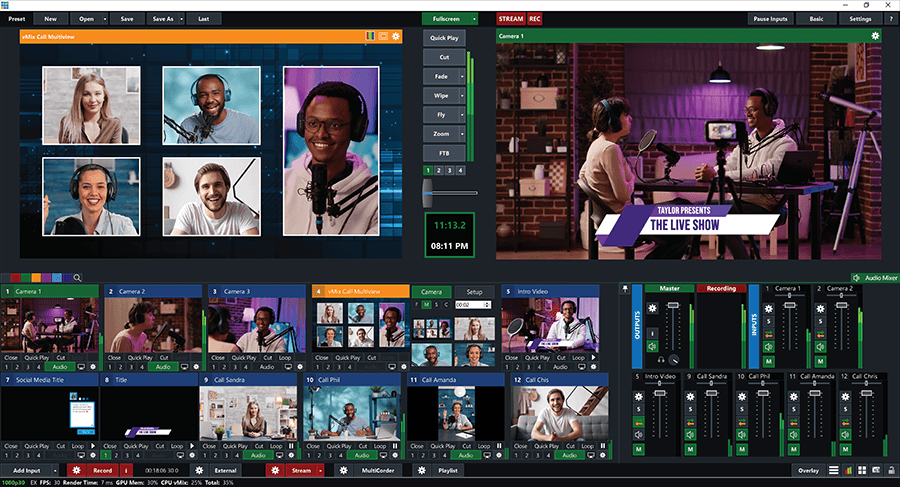
vMix Call: Add up to 8 remote guests quickly and easily
- The easiest way to add guests to your live show is built right into vMix HD, 4K and Pro editions. vMix Call allows anybody with a browser and webcam to become an instant guest!
- See vMix Call.
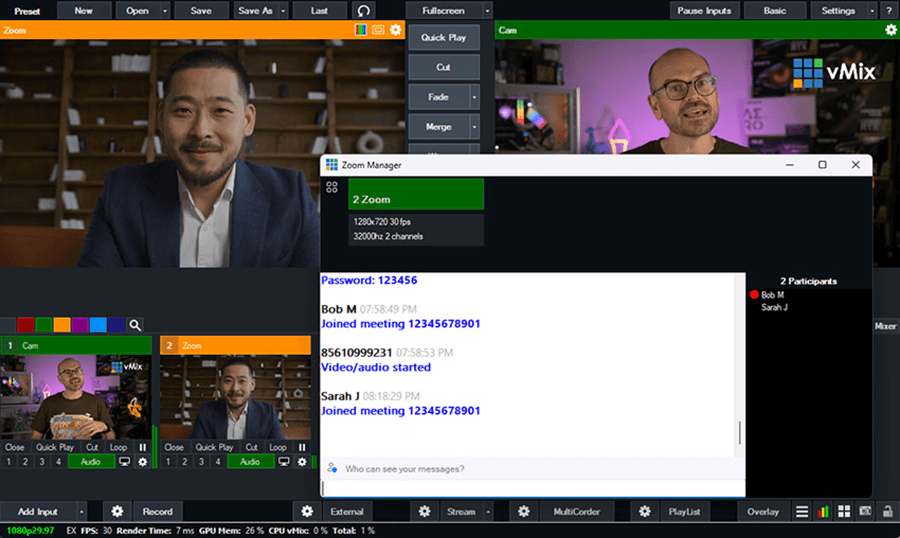
Direct Zoom Meeting integration
- vMix can become a participant in a Zoom meeting and access the raw video and audio feeds of all participants in up to 1080p HD.
- Show up to one participant a time in vMix HD, or as many participants as your Zoom plan and internet allow in 4K, Pro and Max editions.
- Each Zoom input can be assigned a participant and dynamically switch between camera and sharing as needed, or multiple Zoom inputs to show both at the same time!
- Free Zoom accounts allow up to 360p per participant while paid Zoom plans can support up to 1080p. Refer to the Zoom web site for more information.
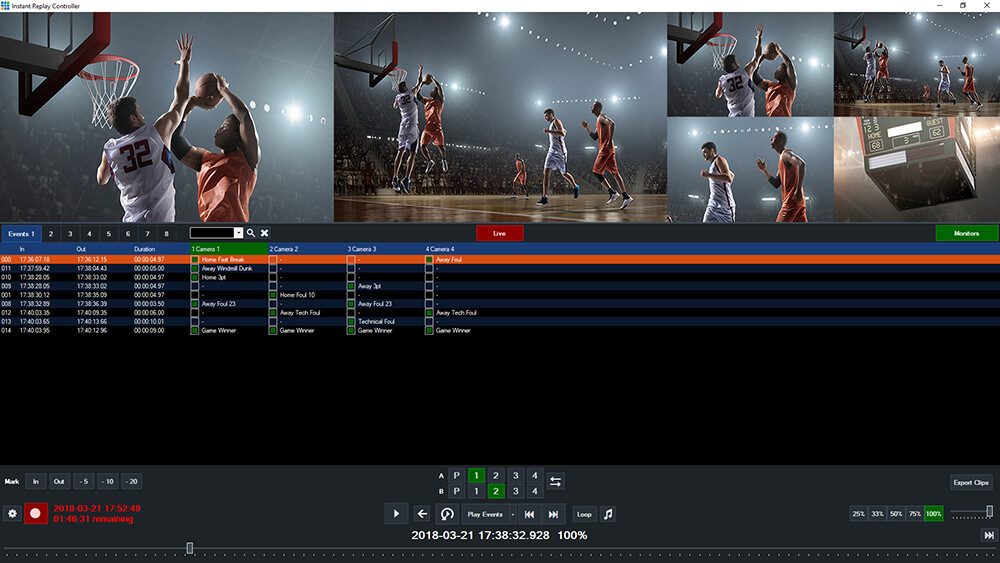
Instant Replay
- Full eight camera slow motion instant replay available in vMix Replay.
- Create replay events on the fly with traditional Mark In a Mark Out buttons or use the time saving 5, 10 and 20 second button presets.
- Create highlight reels from multiple events and watch all the action unfold with built in transitions and optional background music.
- vMix Replay works with an extensive array of control options. See the vMix Replay page for more info.
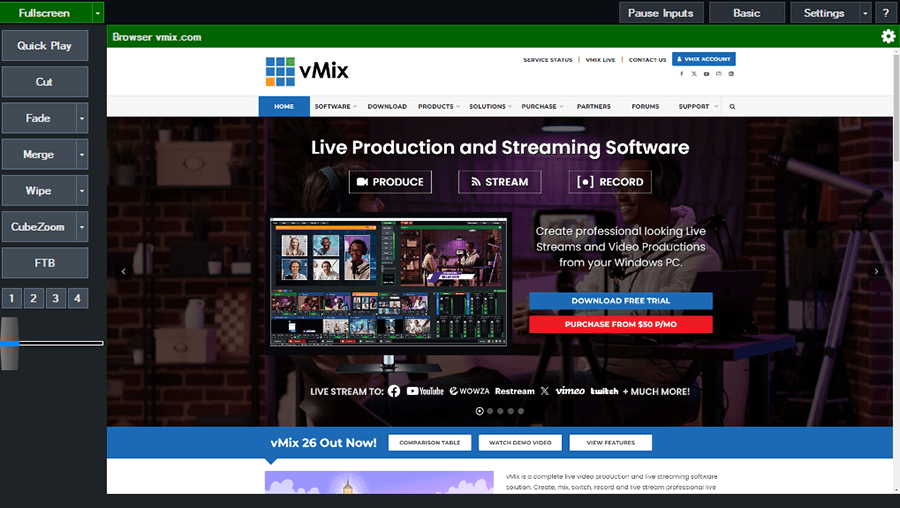
Web Browser Input
- Display a website directly in vMix.
- Full use of mouse and the ability to scroll pages.
- Natively supports browser audio and HTML 5 video playback!
- No need for an additional computer just to bring in a browser, do it all through vMix!
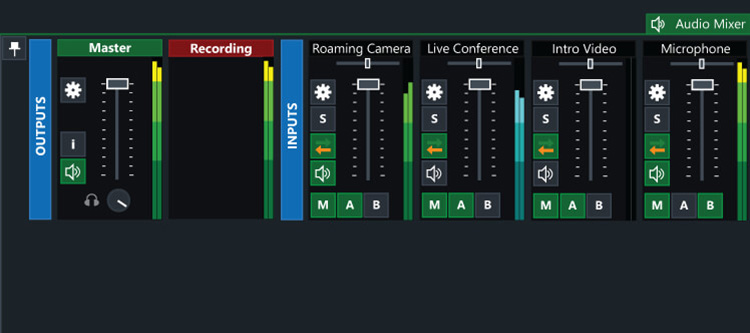
Built-In Audio Mixer
- Audio Mixer allows you to easily keep track of all audio sources and includes the ability to Mute, Follow (Auto Mixing) and Delay any source.
- A VU Meter is also included with a peaking display to ensure each inputs level is broadcast ready.
- Fine tune every audio source with built in EQ, Compressor and Noise Gate effects.
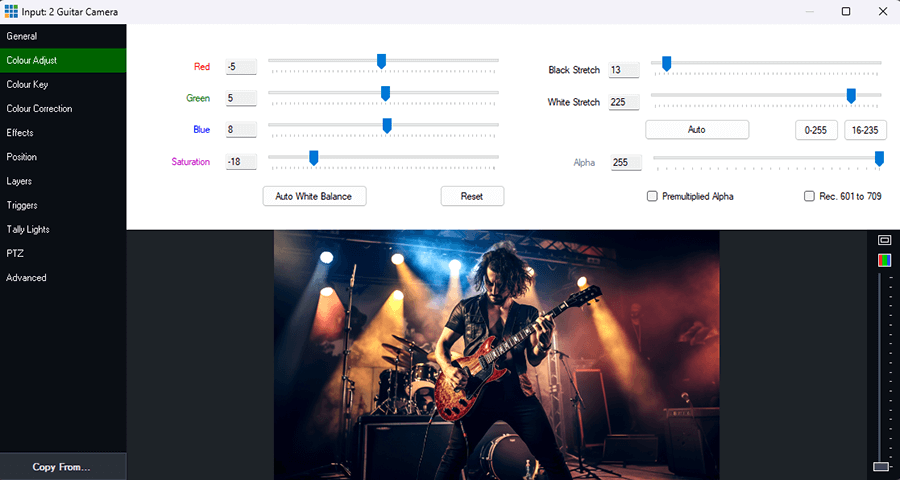
Live Video Effects
- Colour Correct, Deinterlace, Sharpen, Zoom, Rotate, Pan and Crop any input in real time.
- All effects are processed in 4:4:4 32bit colour space for optimal video quality.
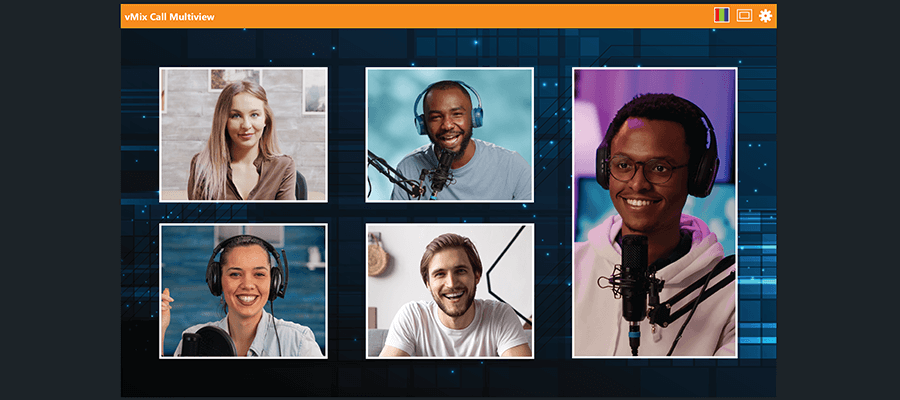
Layers / Input MultiView
- Combine multiple inputs together as Layers using the different "Multiview" presets or customise the position of each element with the available Zoom, Pan, Rotate and Crop controls.
- Easily make minor adjustments to any layer using the Layer Designer

Full NDI Capabilities
- vMix allows you to send and receive NDI sources to any other NDI compatible device.
- Use NDI to transmit your output, cameras, audio and graphics across your local network.
- Connect vMix to your favourite NDI program or device such as Caspar CG, NewBlue Titler, Adobe CC and many more.
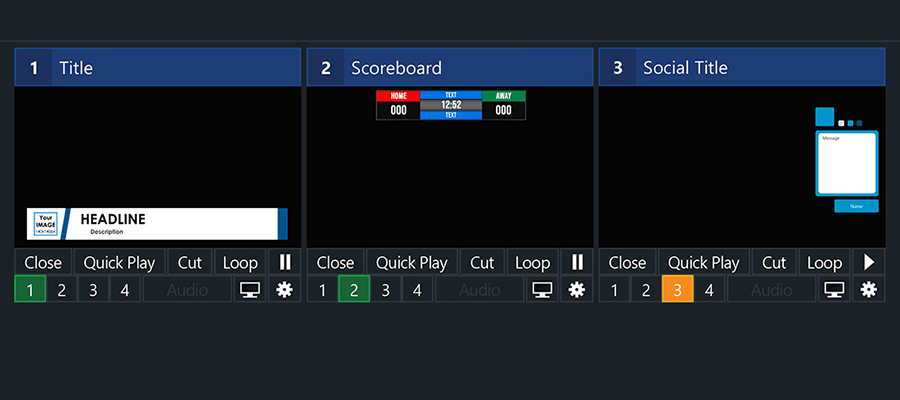
4 Overlay Channels
- vMix includes 4 Overlay Channels in addition to the Multi View feature. Each overlay channel can have its own transition effect, position and border.
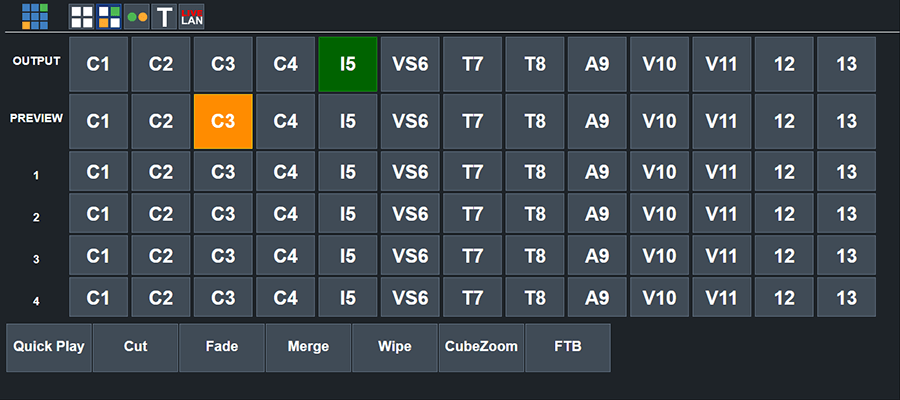
Touch Screen Web Interface
- Control vMix remotely using the vMix Web Controller on your Surface, iPad, iPhone, Android or other touch screen device using the built in web interface.
- Customisable shortcut buttons can also be created to activate common production scenarios.
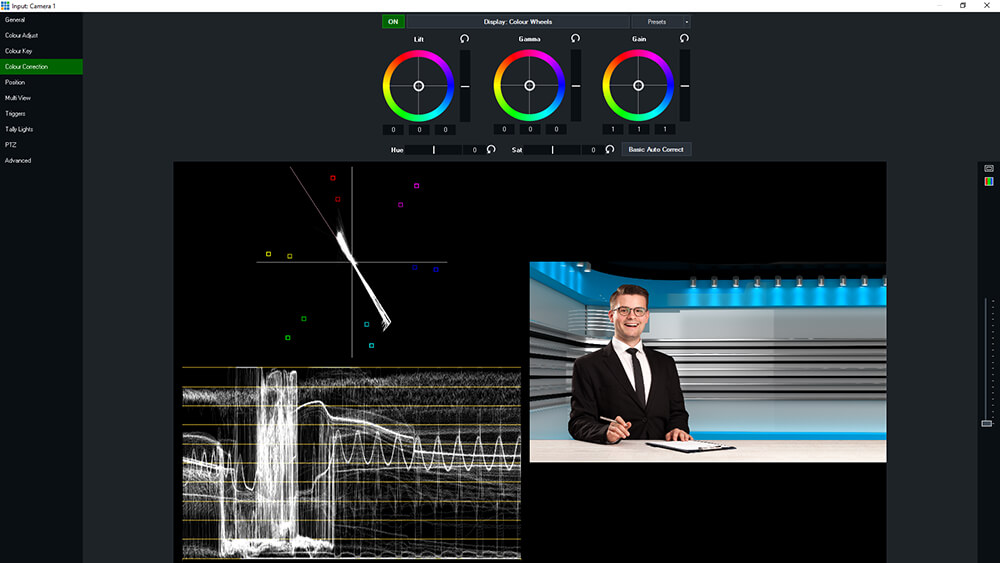
Professional Colour Correction & Monitoring Tools
- Professional colour correction on every input
- Lift/Gamma/Gain/Hue/Saturation controls with industry standard colour wheels and bars
- Import/export colour correction presets to use in other productions
- New Waveform and Vectorscope monitors in Preview and Input settings windows
- Select the RGB icon to select from the various display options
- Choose from Waveform RGB, Waveform Y, Parade RGB, Vectorscope and split (side by side) layout options
SRT In and Out Support
- SRT - Secure Reliable Transport is a point to point protocol for fixed latency streams over an unreliable internet.
- vMix supports multiple inputs (Stream Input) and up to 4 outputs in vMix 4K and Pro (1 output in all other editions).
- Uses GPU acceleration where possible for H264 and HEVC streams. 2 stream PC encode limit applies on GeForce cards, CPU fallback available where not available on the GPU.
Find out more
- To find out about these features and more, browse through the Online Help or take advantage of the 60 day trial from the Download page.